HTTP Status Codes
HTTP 403 Forbidden
Forbidden — the server understood the request but refuses to authorize it
A 403 Forbidden error means the server understood the request but actively refuses to fulfill it. Unlike a 401 Unauthorized which invites authentication, a 403 indicates that the server has decided to deny access regardless of the client's credentials. It is defined in RFC 7231 Section 6.5.3 and represents a deliberate access control decision by the server. Some servers return 404 instead of 403 to avoid confirming whether a restricted resource exists.
Visual summary
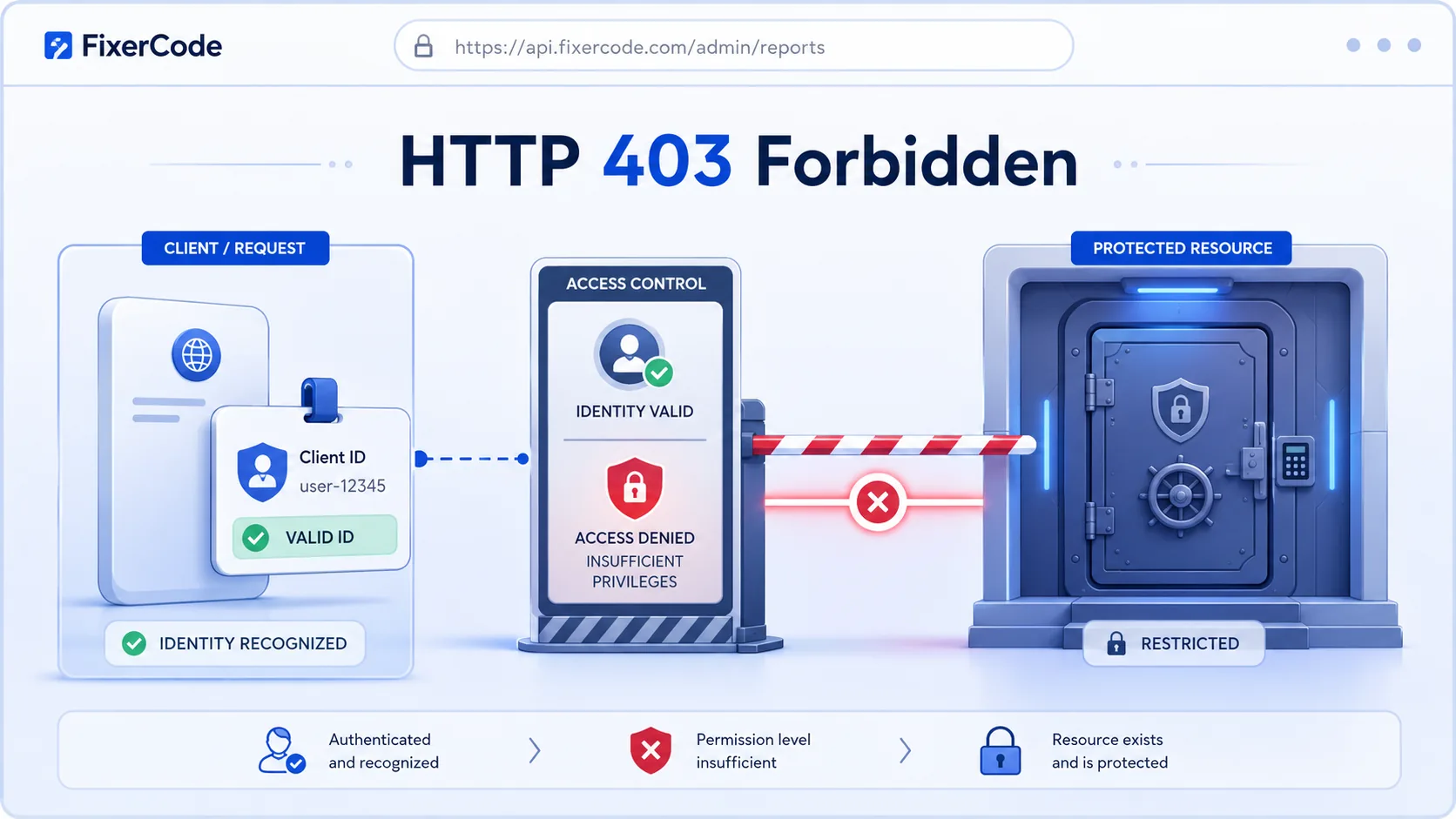
A quick reference view of how HTTP 403 works: A recognized user being denied entry to a restricted area.
What 403 Means
The shortest useful reading of this status code.
Forbidden means the server understood the request but refuses to authorize it.
This status falls into the 4xx class, indicating a client-side error outcome for the request.
Quick read
Forbidden
the server understood the request but refuses to authorize it
Technical Context
How this status behaves without turning the page into a repair guide.
Standard usage
A 403 Forbidden is an authorization error, not an authentication error. The distinction is important: authentication is about proving identity (who you are), while authorization is about proving permission (what you are allowed to do). A 401 response says 'identify yourself,' while a 403 response says 'I know who you are, but you cannot access this resource.' Re-authenticating or providing different credentials will not resolve a true 403.
Technical nuance
Web servers generate 403 responses from multiple layers of access control. File system permissions, web server configuration rules such as .htaccess directives, application-level role checks, and network-level firewall rules can all produce 403 responses. The specific cause depends on which layer denied the request, and the HTTP response alone does not indicate which layer was responsible.
Implementation detail
Some security-conscious servers deliberately return 404 instead of 403 for restricted resources. Returning 403 confirms that the resource exists, which could be useful information for an attacker mapping the application structure. This practice is common for sensitive endpoints like admin panels or internal APIs.
Related HTTP Codes
Nearby HTTP status codes help clarify how 403 differs inside the same response family.
403
Forbidden
the server understood the request but refuses to authorize it
401
Unauthorized
valid authentication credentials are missing for the target resource
404
Not Found
the server cannot find the requested resource at this URL
400
Bad Request
the server cannot process the request because it is malformed
Common Causes
File or directory permissions are too restrictive
A common condition that triggers a 403 response when the web server evaluates the transaction.
IP address blocked by server firewall or .htaccess rules
A common condition that triggers a 403 response when the web server evaluates the transaction.
Missing index file in a directory with directory listing disabled
A common condition that triggers a 403 response when the web server evaluates the transaction.
Authentication required but credentials not provided or insufficient
A common condition that triggers a 403 response when the web server evaluates the transaction.
Typical Scenarios
A user tries to access an admin panel without the required role or permissions
A server blocks a specific IP range through firewall rules
Directory listing is disabled and no index file exists in the requested path
What To Know
A 403 error is typically persistent for a given client and URL combination because it reflects a deliberate access control decision. Refreshing the page will not help since the server has already determined that the request should be denied. If the 403 appears unexpectedly on a previously accessible page, it may indicate a change in server configuration, IP-based blocking, or permission settings rather than a temporary issue.
Frequently Asked Questions
Common interpretation questions about HTTP 403.
A 401 error means you need to authenticate (log in). A 403 error means the server knows who you are but you do not have permission to access the resource. Authentication will not help with a 403.
Yes. Firewalls, web application firewalls (WAFs), and IP-based blocking rules are common causes of 403 errors. If your IP address or geographic region is blocked by the server's security rules, you will receive a 403 regardless of your credentials.
Returning a 404 instead of 403 prevents attackers from discovering that a restricted resource exists at a given URL. This is a common security practice for sensitive endpoints like admin panels, where confirming existence could help map the application structure.