HTTP Status Codes
HTTP 404 Not Found
Not Found — the server cannot find the requested resource at this URL
A 404 Not Found response means the server is reachable and understood the request, but this specific URL does not map to a live resource. It is the standard missing-resource response for the web and does not by itself say whether the absence is temporary, accidental, or intentional.
Visual summary
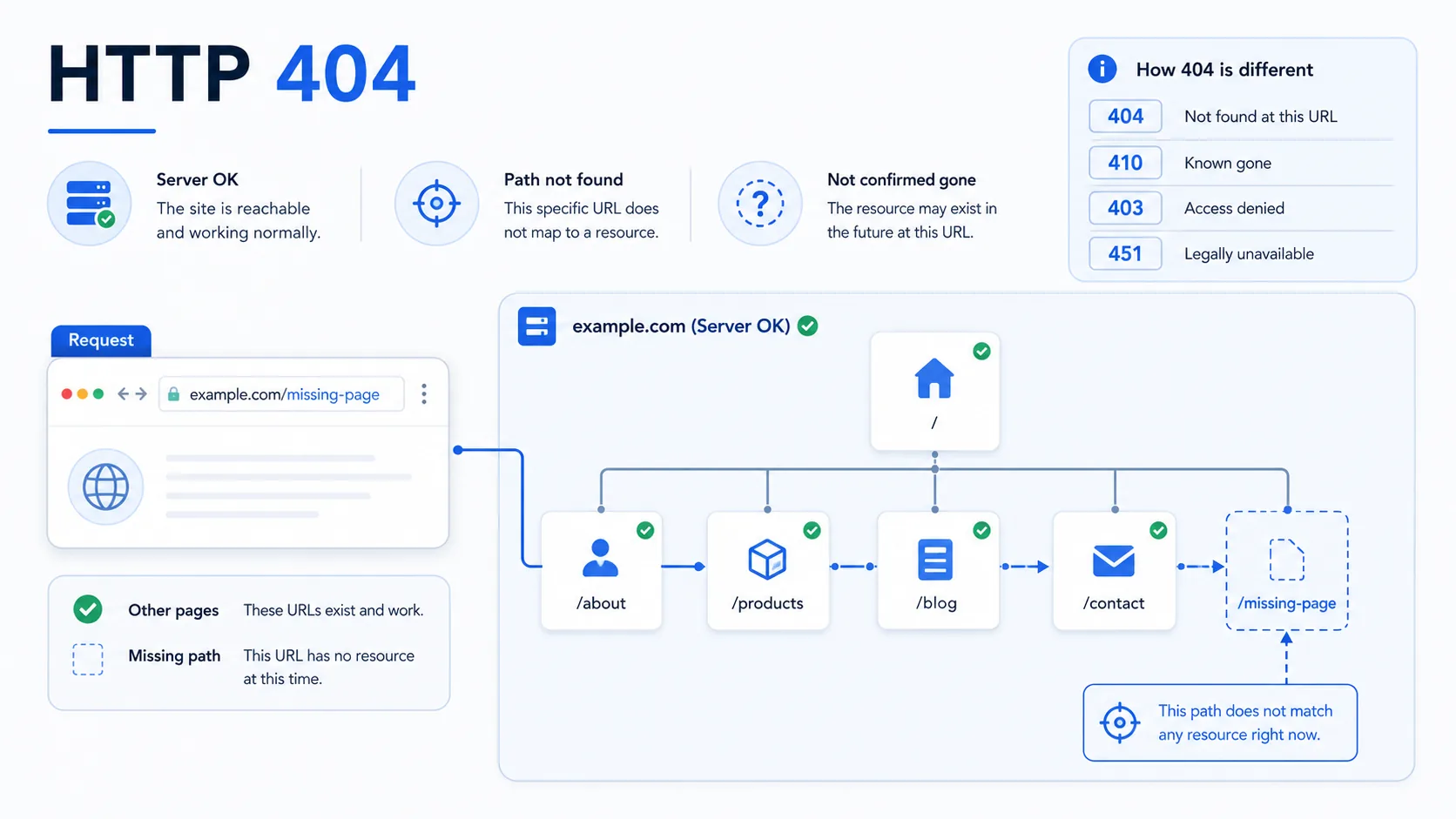
A quick reference view of how HTTP 404 signals one missing route or page while the broader site or service remains reachable.
What 404 Means
The shortest useful reading of this status code.
Not Found means the server cannot find the requested resource at this URL.
For missing-resource responses, the key distinction is that the server can be healthy and reachable while one specific URL still has no matching resource.
Quick read
Specific URL is missing
A 404 means the server is reachable, but this address does not map to a live resource.
Technical Context
How this status behaves without turning the page into a repair guide.
Missing resource
A 404 tells the client that the server received the request successfully but found no current resource at that address. The request reached a valid server; the missing part is the URL-to-resource match.
Route match
Its closest contrast is 410. A 404 says the server cannot find the resource and does not make a strong statement about intent, while a 410 says the resource is deliberately gone and not expected to return. That difference matters for crawlers, link auditing, and content lifecycle interpretation.
Absence vs removal
Frameworks, CDNs, and static site hosts commonly generate 404 for unmatched routes, deleted files, and stale links. Some systems also prefer 404 over a more revealing response when they do not want to confirm that a protected resource exists.
Related HTTP Codes
Nearby HTTP status codes help clarify how 404 differs inside the same response family.
404
Not Found
the server cannot find the requested resource at this URL
403
Forbidden
the server understood the request but refuses to authorize it
410
Gone
the requested resource was intentionally removed and is no longer available
451
Unavailable For Legal Reasons
the server legally cannot serve the resource
Common Causes
Broken or outdated link pointing to a page that no longer exists
The browser reaches a valid server, but the linked path no longer maps to live content.
Typo in the URL or path segment
One incorrect path fragment is enough to produce a missing-resource response even when the rest of the site works.
Route or static file removed during a deployment
Application code or static assets changed, leaving the previous URL without a matching handler.
Resource renamed or moved without a redirect
The content may still exist elsewhere, but this original address no longer resolves.
Typical Scenarios
A user opens an old bookmark after the page path changed or the content was removed
A crawler revisits a URL that no longer matches a live route after a site update
An application request targets a path that was misspelled or never deployed
What To Know
A 404 is often isolated to one URL, but clusters of 404s usually point to a broader routing, deployment, or content-retirement pattern. If the rest of the site works normally, the signal is usually about this address rather than a full-site outage.
Frequently Asked Questions
Common interpretation questions about HTTP 404.
No. A 404 usually means one URL is missing while the server itself is still reachable and capable of returning normal responses for other pages.
A 404 means the resource is not found at this URL. A 410 is stronger because it says the resource was intentionally removed and is not expected to return.
Yes. Some systems use 404 to avoid confirming the existence of protected or hidden resources when the requester should not learn more about them.