HTTP Status Codes
HTTP 503 Service Unavailable
Service Unavailable — the server is temporarily unable to handle this request
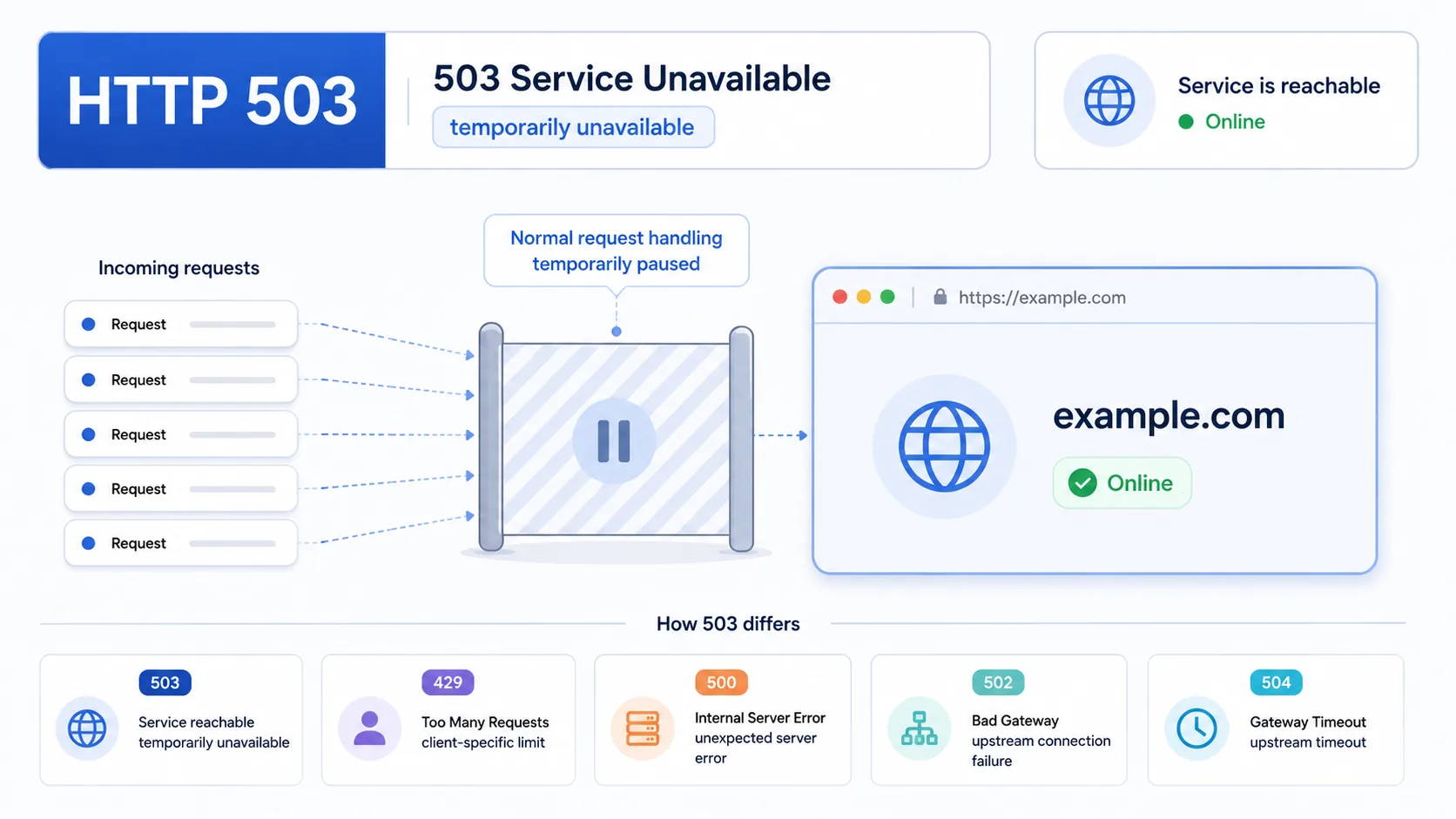
A 503 Service Unavailable response tells the client that the service is reachable but temporarily not accepting normal work because of overload, maintenance, or controlled capacity limits. Unlike a generic 500, it explicitly frames the condition as temporary rather than undefined.
Visual summary
A quick reference view of how HTTP 503 signals temporary service-level unavailability caused by overload, maintenance, or controlled capacity limits.
What 503 Means
The shortest useful reading of this status code.
Service Unavailable means the server is temporarily unable to handle this request.
For service-availability failures, the key distinction is that the system is intentionally signaling a temporary capacity or maintenance condition rather than a generic internal bug.
Quick read
Service temporarily unavailable
A 503 means the server is intentionally signaling overload or maintenance rather than a permanent failure.
Technical Context
How this status behaves without turning the page into a repair guide.
Temporary unavailability
A 503 is the standard temporary-unavailability signal in HTTP. The service is still identifiable and reachable, but it is intentionally telling clients that it cannot handle the request normally right now. Some responses also include Retry-After to describe the expected retry window.
Capacity pressure
Its main contrast is with 500, 502, and 429. A 500 is a generic internal failure, a 502 is a bad upstream handoff, and a 429 usually limits one requester or quota bucket while the rest of the service remains broadly available. A 503 is wider than that: it says the service itself is temporarily not in a normal serving state.
Retry window
That makes 503 common during planned maintenance, worker exhaustion, traffic spikes, and deliberate load shedding where the operator wants to preserve overall system stability instead of pretending the service is healthy.
Related HTTP Codes
Nearby HTTP status codes help clarify how 503 differs inside the same response family.
503
Service Unavailable
the server is temporarily unable to handle this request
429
Too Many Requests
the client exceeded the allowed request rate
500
Internal Server Error
the server hit an unexpected condition while handling the request
502
Bad Gateway
the server received an invalid response from an upstream server
Common Causes
Server enters maintenance mode
The system is deliberately telling clients that availability is paused rather than silently failing.
Worker pool or connection slots are exhausted
The service is still up, but it has no immediate capacity left for new work.
Traffic spike overwhelms the current capacity
Demand temporarily exceeds what the service is configured to process at once.
Protective throttling or queue shedding activates
The server preserves overall stability by refusing some requests for a limited period.
Typical Scenarios
A site enters a planned maintenance window and returns 503 while normal pages are paused
A traffic surge consumes all available worker capacity and the service starts shedding excess requests
An application remains online but refuses new work while backend capacity or queue depth is under pressure
What To Know
A 503 usually points to a temporary service-wide or shared-capacity condition rather than a permanently broken URL. If it appears on one narrow endpoint, the pattern may reflect a local capacity gate. If it appears broadly across the site, the service itself is likely under maintenance or load pressure.
Frequently Asked Questions
Common interpretation questions about HTTP 503.
Yes. A 503 is specifically used for temporary unavailability such as maintenance, overload, or controlled capacity protection rather than a permanent content change.
A 429 usually limits one client, token, or quota bucket. A 503 is broader and says the service itself is temporarily not able to serve requests normally.
A 502 is a bad server-to-server handoff. A 503 means the service is intentionally signaling temporary overload, maintenance, or unavailable capacity.